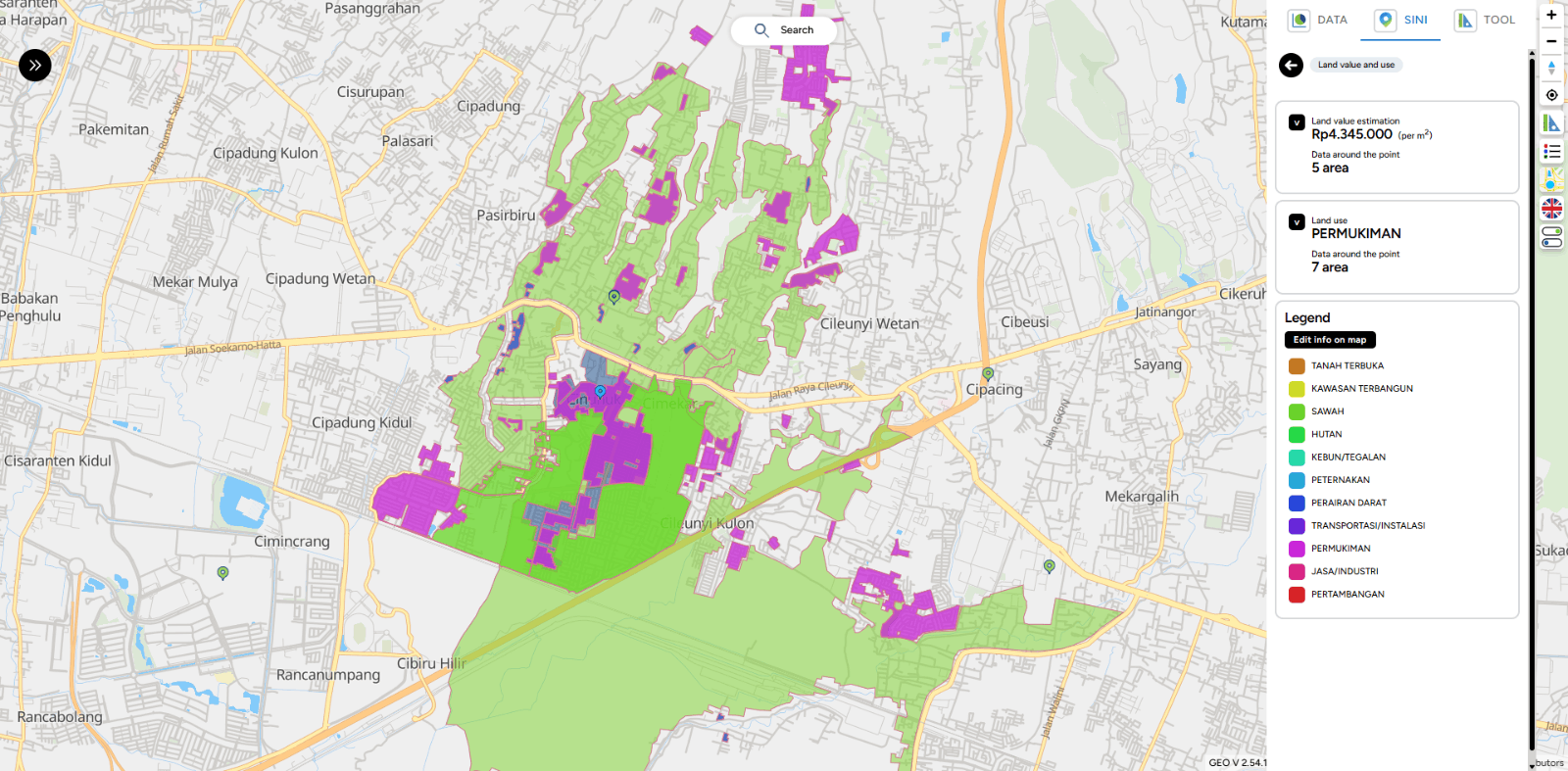
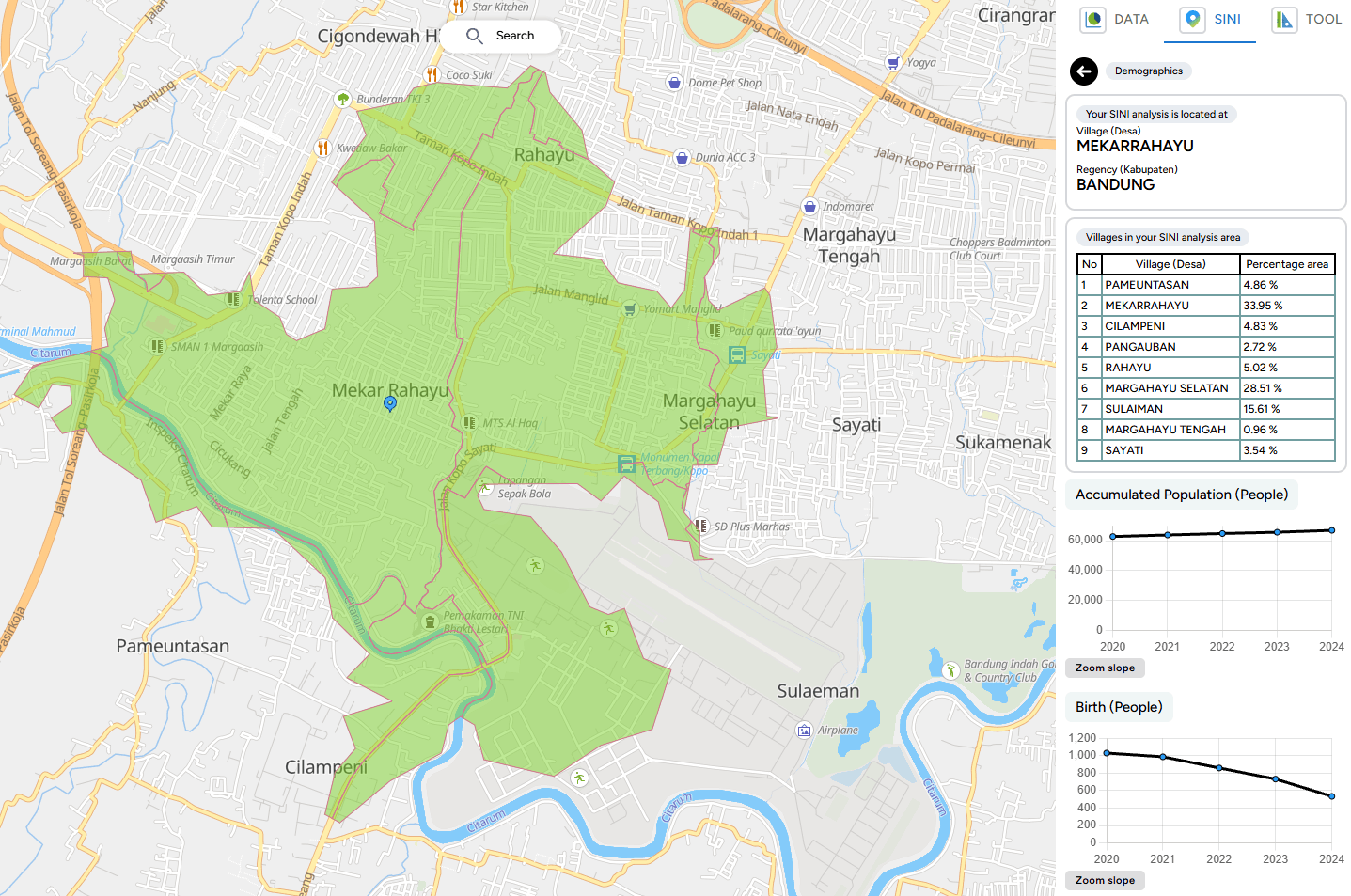
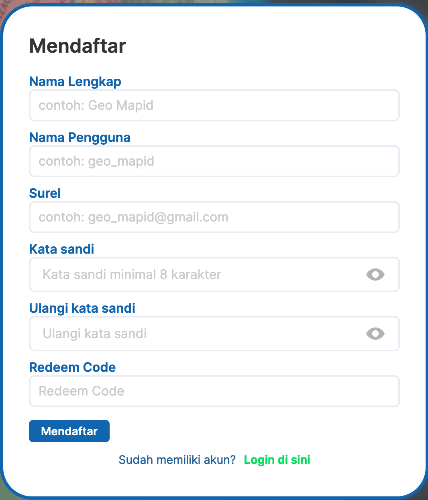
What`s New


V 2.55.07

Improvements in FORM MAPID

  • Added the ability to edit Latitude and Longitude in Form MAPID.
  • Auto-zoom to the coordinate point when updating location data.
  • Added a coordinate lock feature in Form MAPID.
  • Fixed an issue where the Form MAPID map suddenly zoomed out when dragged to certain coordinates.
  • Fixed location updates in offline mode.

Improvements in GEO MAPID

  • Improved auto-clear behavior for fields in the Add Column modal after a column is successfully added.
  • Fixed UI issues related to terms in Form Builder GEO MAPID.
  • Fixed CSV upload issue for selection columns.

V 2.55.06

Improvements in GEO :

Improvements

  • Improved UI for column editing.
  • Added descriptions for each column data type.
  • Added auto-generate data types for username and fullname.
  • Added warning notification when removing members in Collaboration.
  • Improved CSS editing experience in BI Dashboard.
  • Added the ability to reorder nested table questions in the Form Editor.
  • Selection data type now supports reference-based data.
  • Renamed actions in Collaboration groups for better clarity.

Bug Fixes

  • Fixed issue where nested table data did not immediately appear when downloading PDF files.
  • Fixed truncation issue in the formula data type within the Summary of Nested Table.
  • Fixed reorder issue when three question columns could not be reordered.
  • Fixed issue where digitization could not be created.
  • Fixed issues in the SINI AI & SINI DATA purchase process.
  • Restored the Generate Resume button in Edit Layer.
  • Fixed Error 404 occurring when submitting digitization data.
  • Fixed Site Analysis error for the East Seram location.
  • Fixed issue where columns could not be added to a layer.

V 2.55.05

Improvements in GEO:

1. Map Editor

- New Feature: Compact List

- New Column Types: ID Data

- New Column Type: Last Edited

- New Column Type: Edited By

- New Column Type: Longitude

- New Column Type: Latitude

2. Minor UI Improvements

- Enhanced Fullscreen View for SINI AI Site Analysis

- Improved Checklist Icon on Checkbox

- Improved Legend Display

- Enhanced Layer Editing Interface

- Hidden “Upload File Documentation” Button in GEO MAPID

- Added Email Input in Profile Section

- Added OTP Verification when Editing Phone Number

3. BUG FIXES:

- Fixed issue where publication titles appeared too close together.

- File upload popup now remains visible when users switch screens.

- Fixed Error 400 on the Redeem MAPID Code feature when the entered code is invalid.

- Corrected styling of numeric layers below the slider to display properly.

- Improved responsive layer display in mobile mode to prevent disappearance when switching views.

- Fixed Error 500 during resume generation when data is empty.

- Table data is now displayed in order even after refreshing.

- Added OTP validation when users enter the wrong code.

- Added phone number validation to prevent the use of already registered numbers.

- Improved profile page responsiveness across various device screen sizes.

- Fixed error in Toolbox Grid.

- Fixed issue of disappearing layers in mobile view.

- Corrected wording in SINI DATA pricing.

- Fixed issue where the map could not be clicked on Site Analysis.

- Fixed slider issue in 3D flood visualization.

- Fixed error occurring when the table in a project is open.

- Corrected mismatch in population data within Site Analysis.

- Fixed data editing issue in the map editor table.

- Fixed decimal bug in mathematical operators.

- Fixed table filter issue in map editor.
V 2.55.03

Hello GEO MAPID users,

We are pleased to announce that GEO MAPID has now been updated to version 2.55.03. This release focuses on bug fixes and system stability improvements, ensuring a smoother and more optimal experience when using GEO MAPID.

Improvement in GEO:

1. Site Analysis

  • Update disaster data from hazard to risk

2. Group

  • Back button from group detail to group list
  • Back button in group detail to group list on the left side
  • Sorting & filtering group feature (based on the role of the user who opens) to make navigation easier
  • Added collaboration role explanation when hovering over the info button
  • Added popup description of roles in project

3. Dashboard

  • Increased maximum number of pins to 10
  • Added option to pin project and open collaboration in the list when searching project

Bugs Fixes:

1. License

  • License group sharing
  • GEO – Pricing contact us
  • Invite member still possible on collaborator

2. Data

  • SINI AI: Data not available

3. Site Analysis

  • Disaster data text not available
  • Clip disaster polygons, flood & landslide data

4. Map Geo

  • Data loading above has no percentage load but shows NA
  • Fix infinity looping bug when mapping using link layer
  • Initial data loading options

5. Form MAPID

  • Fixing required login to run on form.mapid.io

V 2.55.00

Improvement in GEO:

In this update, GEO MAPID brings a major refresh to make your experience even more practical, streamlined, and powerful.

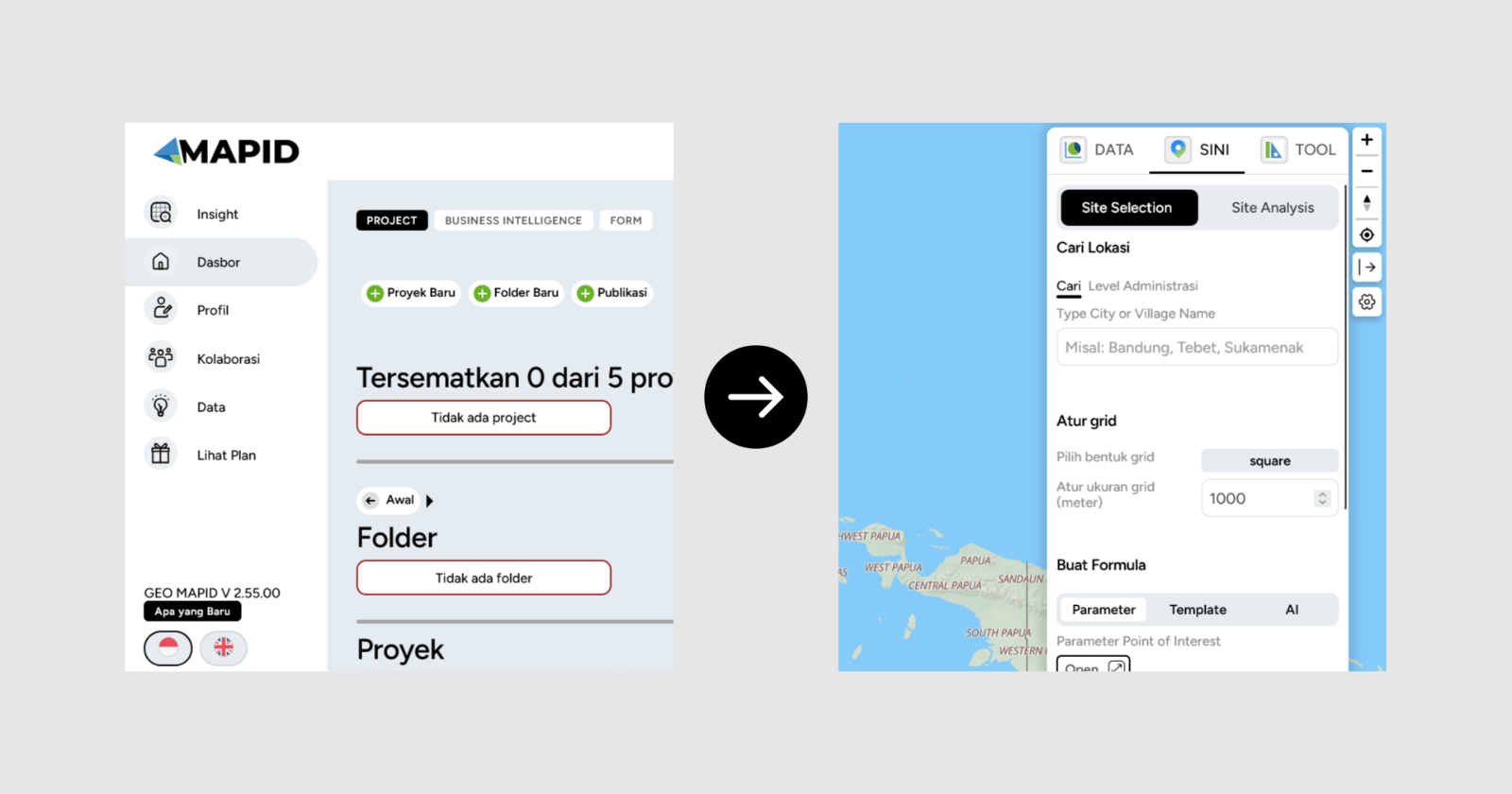
We’ve migrated key features to make them easier to use: now, all the most powerful tools are grouped together in the SINI. This way, you can access everything faster and more efficiently.

So, what’s new? Let’s dive in!

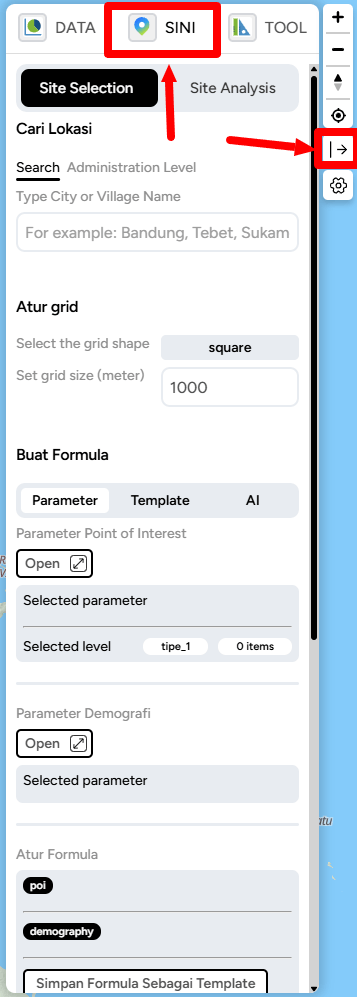
1. Site Selection (formerly Insight)

The Insight feature has now officially evolved into Site Selection and is fully integrated under a new tab called SINI.

V 2.55.00
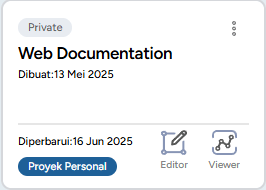
  • How do you find it? First, go into your project by clicking the Editor button.
V 2.55.00
  • If the right sidebar isn’t visible, simply click the open/close button on the right side of the screen. Once the sidebar appears, click the SINI button and you’ll immediately find the Site Selection feature inside.
V 2.55.00

Inside Site Selection, you’ll find several powerful new capabilities:

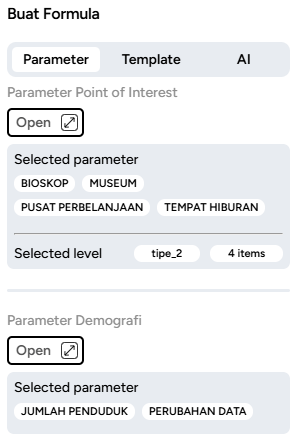
  • Create Formula with Parameters
V 2.55.00
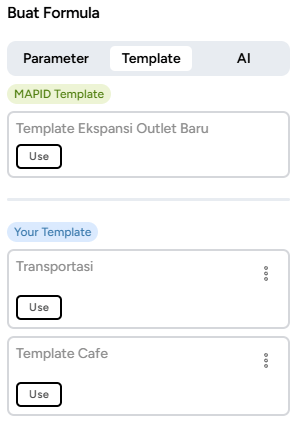
  • Create Formula with Templates
V 2.55.00
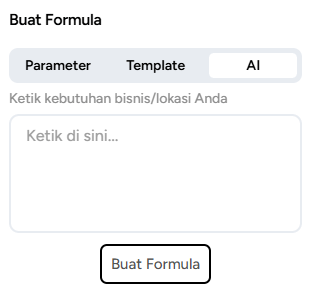
  • Create Formula with AI
V 2.55.00

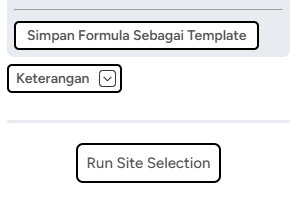
And the best part—once you’ve created a formula, you can save it as a template for future use!

V 2.55.00

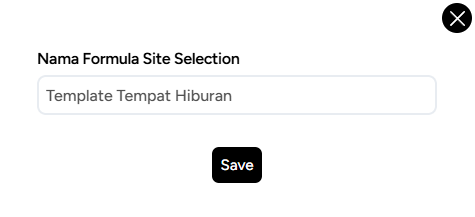
Save the formula name as you want.

V 2.55.00

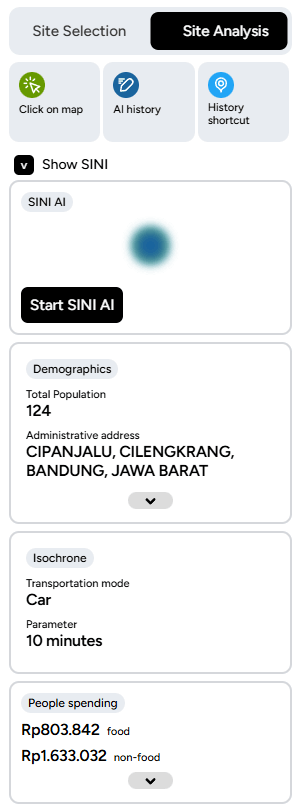
2. Site Analysis

From now on, SINI becomes the central hub for all the essential tools in GEO MAPID. With this change, SINI officially evolves into Site Selection, giving you one place to access all your favorite features.

V 2.55.00

3. SINI DATA

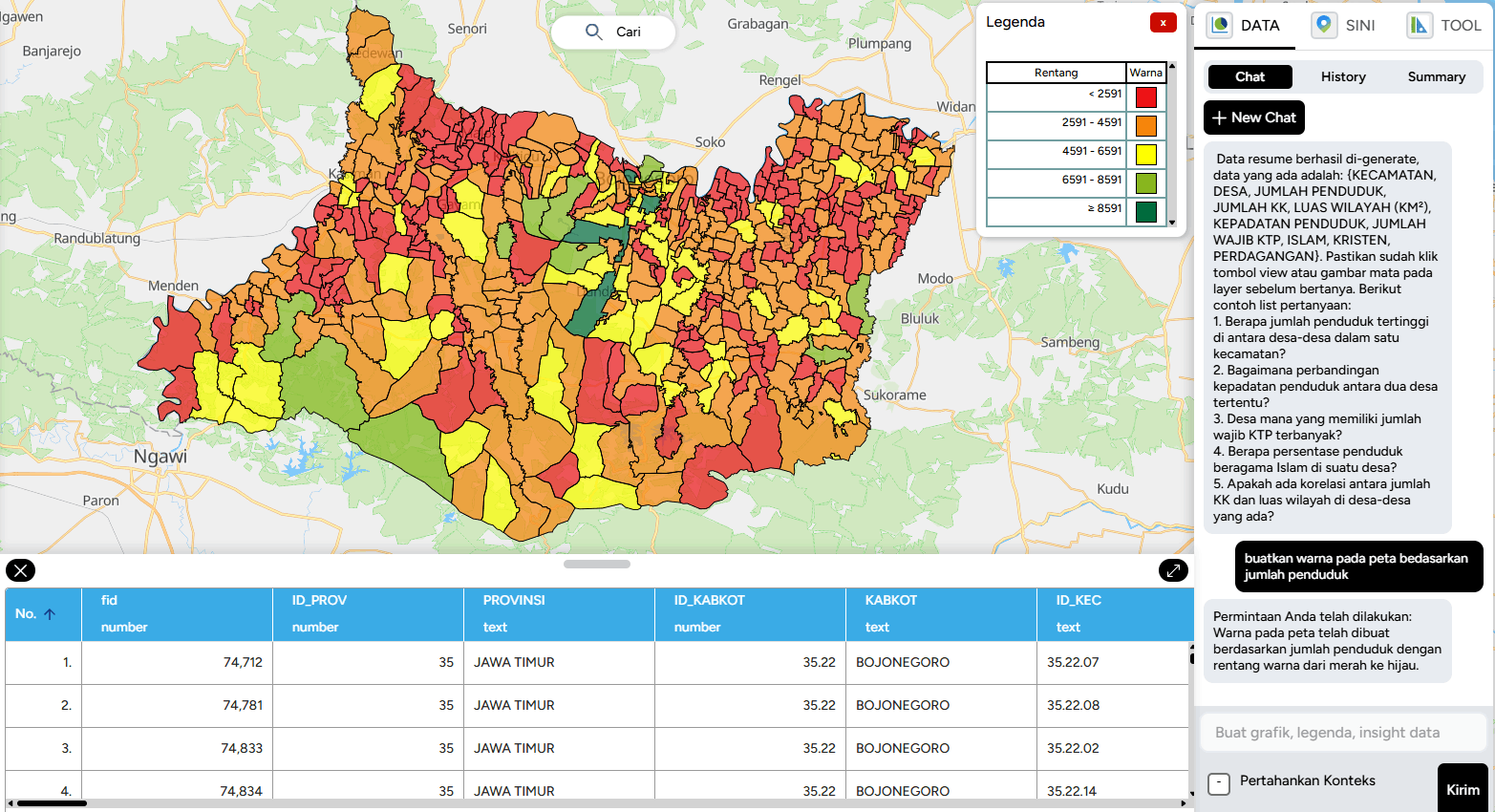
Too much data giving you a headache? Now there’s SINI DATA, ready to help you process everything with ease.

Powered by AI, SINI DATA can automatically process data layers and deliver the best results to support your tasks. No more hassle — just use SINI DATA, let AI do the work, and enjoy the outcome.

V 2.55.00

V 2.54.13

Improvement in GEO:

UI Design Standardization for GEO MAPID

In this latest update, GEO MAPID has carried out a comprehensive user interface design update to enhance consistency and user experience across the entire platform.

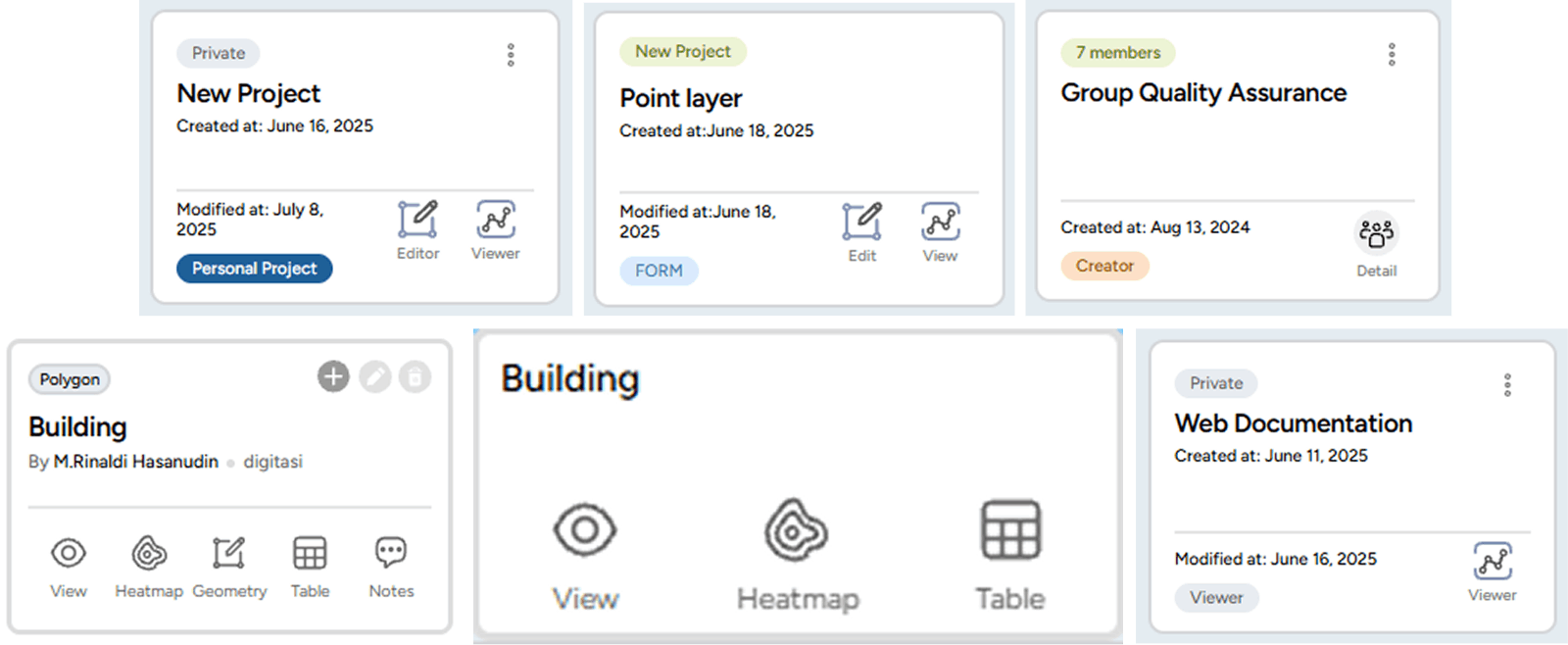
The layer card display now comes with a clean and modern black-and-white theme, providing a minimalist and visually comfortable appearance.

In addition, the card design has been refined to be more neat and structured, making it easier for users to navigate and manage projects more efficiently.

V 2.54.13

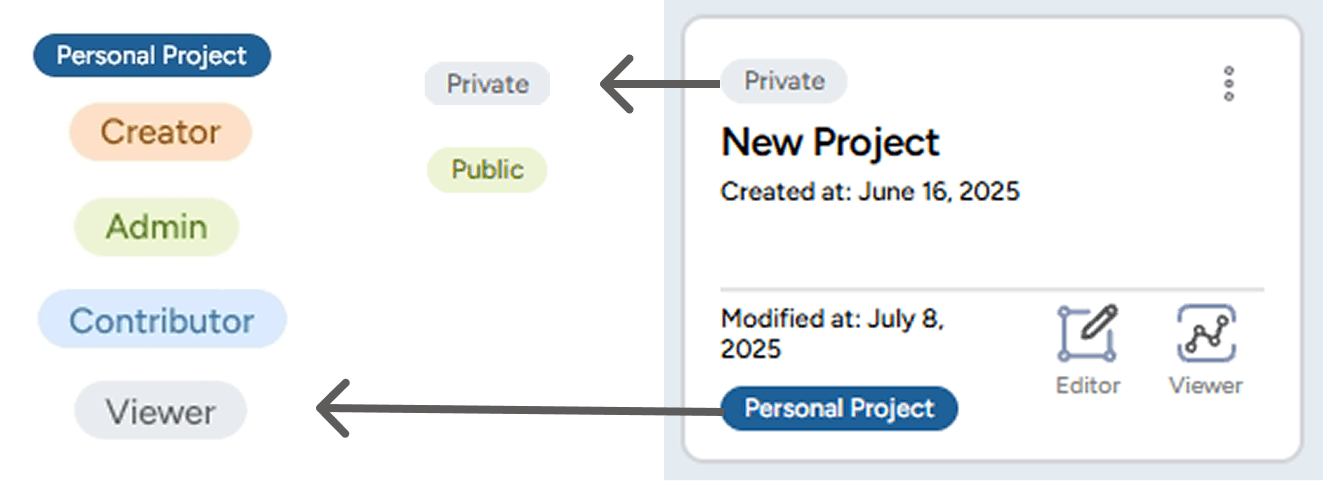
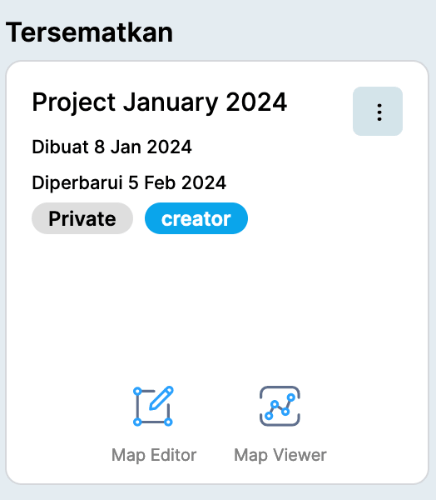
1. Project Card Display Update

Displays pinned projects with role information (Personal Project, Creator, Admin, Contributor, Viewer) along with project information (Private / Public).

V 2.54.13

Each project status is now equipped with specific colors to help users easily distinguish the purpose and access rights of each role within the project.

V 2.54.13
  • A project created specifically by the user for personal use.
  • Other members in the Collaboration group cannot access or view this project.
V 2.54.13
  • Status assigned to the user who created the project.
  • Initially, the project is a Personal Project, but when shared to a Group, its status changes to Creator.
V 2.54.13
  • Status assigned by the Creator to other members to manage all activities within the project, such as editing, managing data layers, and inviting members.
  • Does not have the right to delete the project.
V 2.54.13
  • Status assigned by the Creator or Admin to members to contribute to the project, including creating and adding data layers.
V 2.54.13
  • Status assigned by the Creator or Admin to members to only view the contents of the project without being able to make any changes.

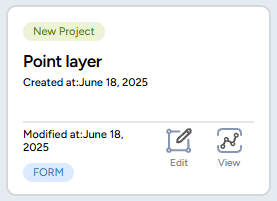
2. Form Card Display Update

  • The Form display has been improved to be cleaner and simpler, making it easier for users to create new Forms and search for the Forms they need without having to enter a project first.
V 2.54.13

3. Group Card Display Update

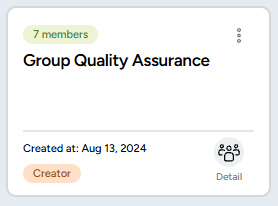
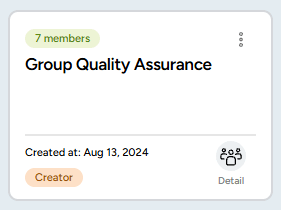
  • The group card display is now more informative, showing pinned groups along with role information (Personal Project, Creator, Admin, Contributor, Viewer) more clearly using color indicators.
  • A “Detail” button has been added to make it easier for users to view and manage the member list within each group.
V 2.54.13

4. Map Editor Layer Card Display Update

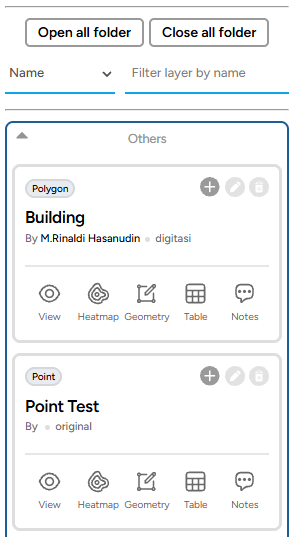
  • The layer card filter feature has been simplified, making it easier for users to quickly search for layers by name and type.
  • The icons and information on each layer card have been redesigned to be more minimalist and structured, enhancing the user experience when managing data layers.
V 2.54.13

5. Layer Viewer Card Display Update

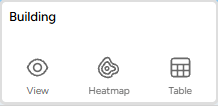
  • The layer card design now features a minimalist black and white theme, giving it a cleaner and more modern appearance.
V 2.54.13

6. Addition of Top Results Feature in Insight

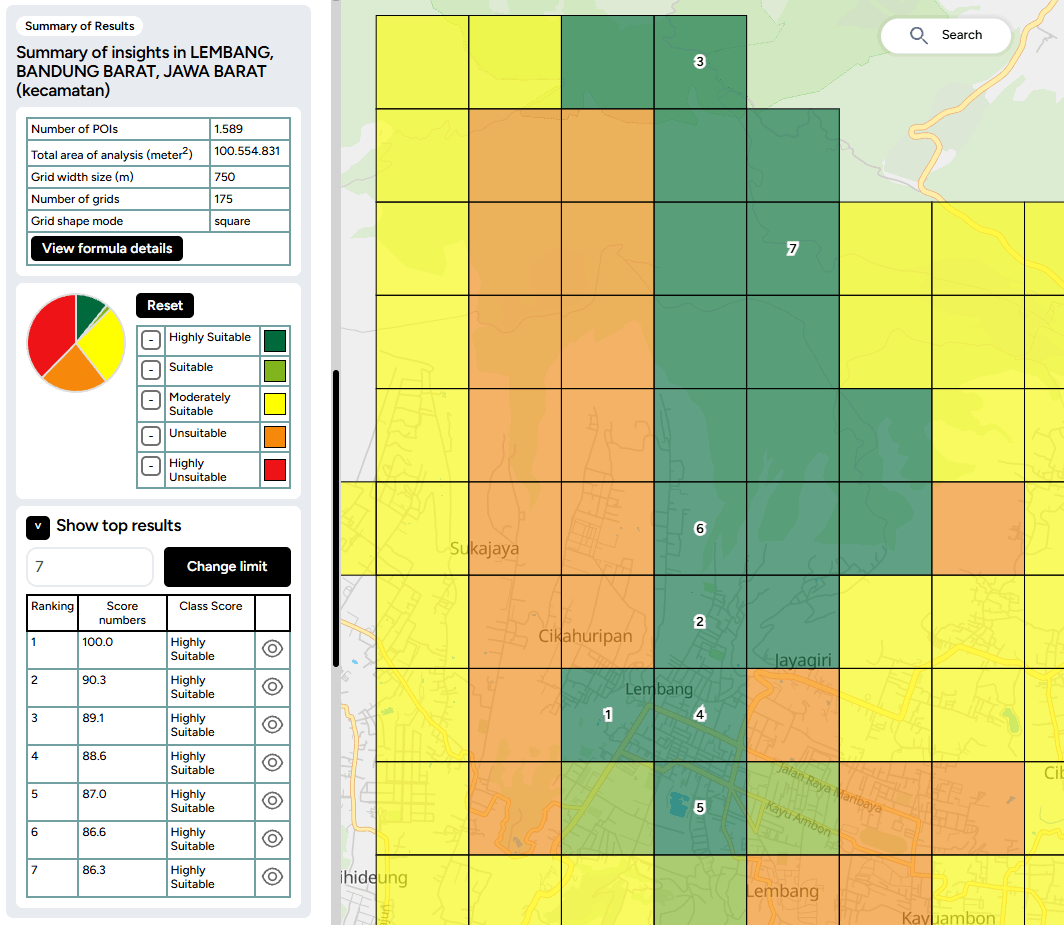
  • Insight is now equipped with a Top Results feature that displays the best locations based on their scores.
  • Users can set the number of top results to be displayed by adjusting the range in the input field.
  • Each top location will be marked with a ranking number directly on the map grid, making it easier to identify and analyze areas with the highest scores.
  • This feature helps users to make quick decisions in selecting the optimal location according to their analysis needs.
V 2.54.13

7. Group Collaboration with Collaborator License

Users can now invite members into collaboration groups according to the number of collaborators included in their purchased license. Invited members will have admin-like access and can explore the entire GEO platform.

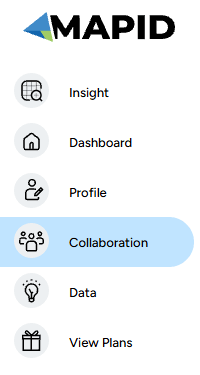
  • After purchasing the license along with the collaborator quota, users can access this feature via the Collaboration button in the left sidebar.
V 2.54.13
  • The Group Collaboration Management menu will appear, allowing users to manage registered collaboration members.
V 2.54.13
  • Admins can create a new group by clicking the “Create New Group” button.
V 2.54.13
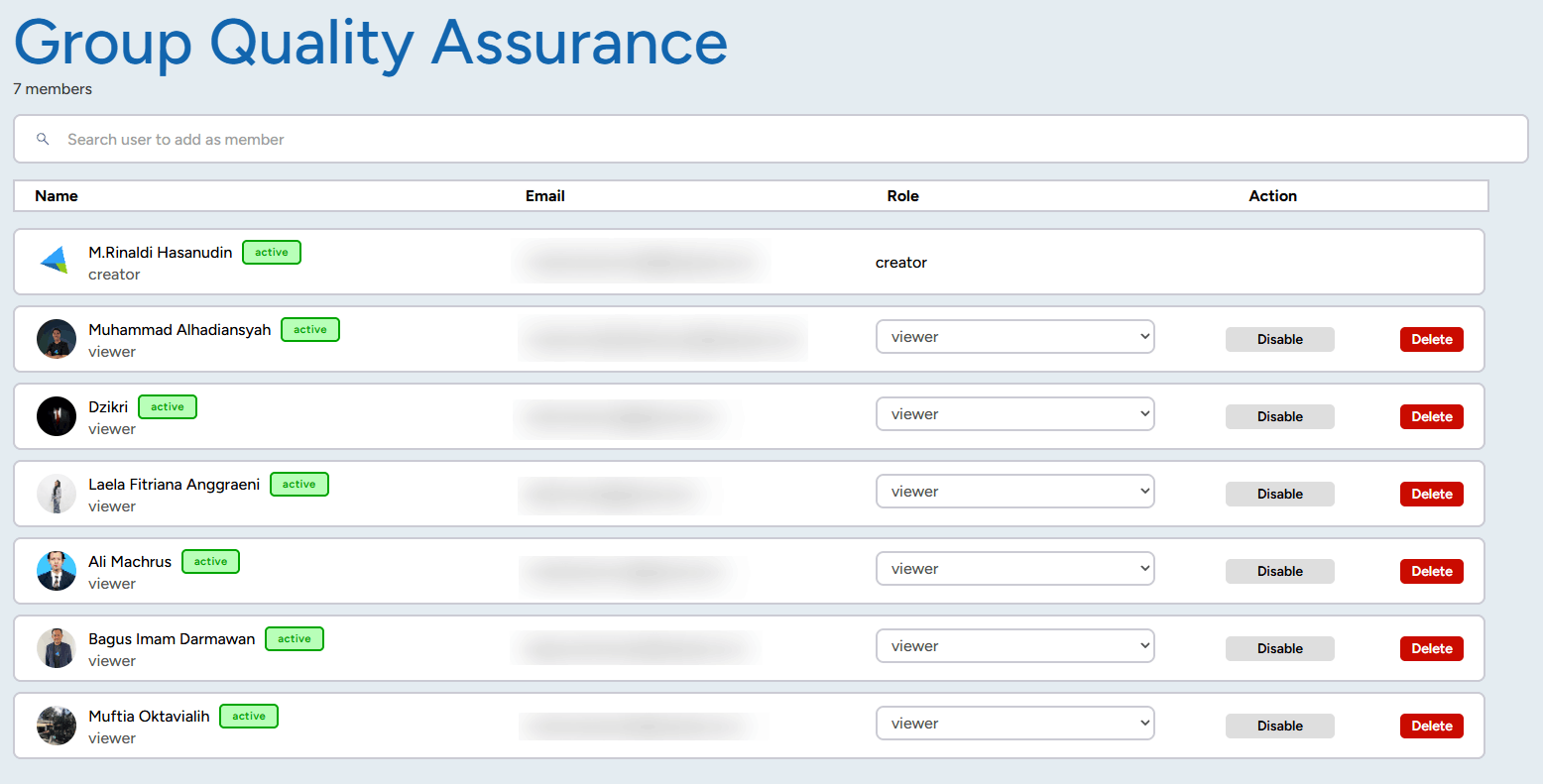
  • After creating a group, click “Detail” to register collaboration members into the group.
V 2.54.13

V 2.54.13
  • Important note: Members who can be invited to the group are those who have already been registered as Collaboration Members.

8. Improved Visualization of Points and Area Boundaries in SINI

In the latest SINI update, visual enhancements have been implemented to improve data clarity on the map:

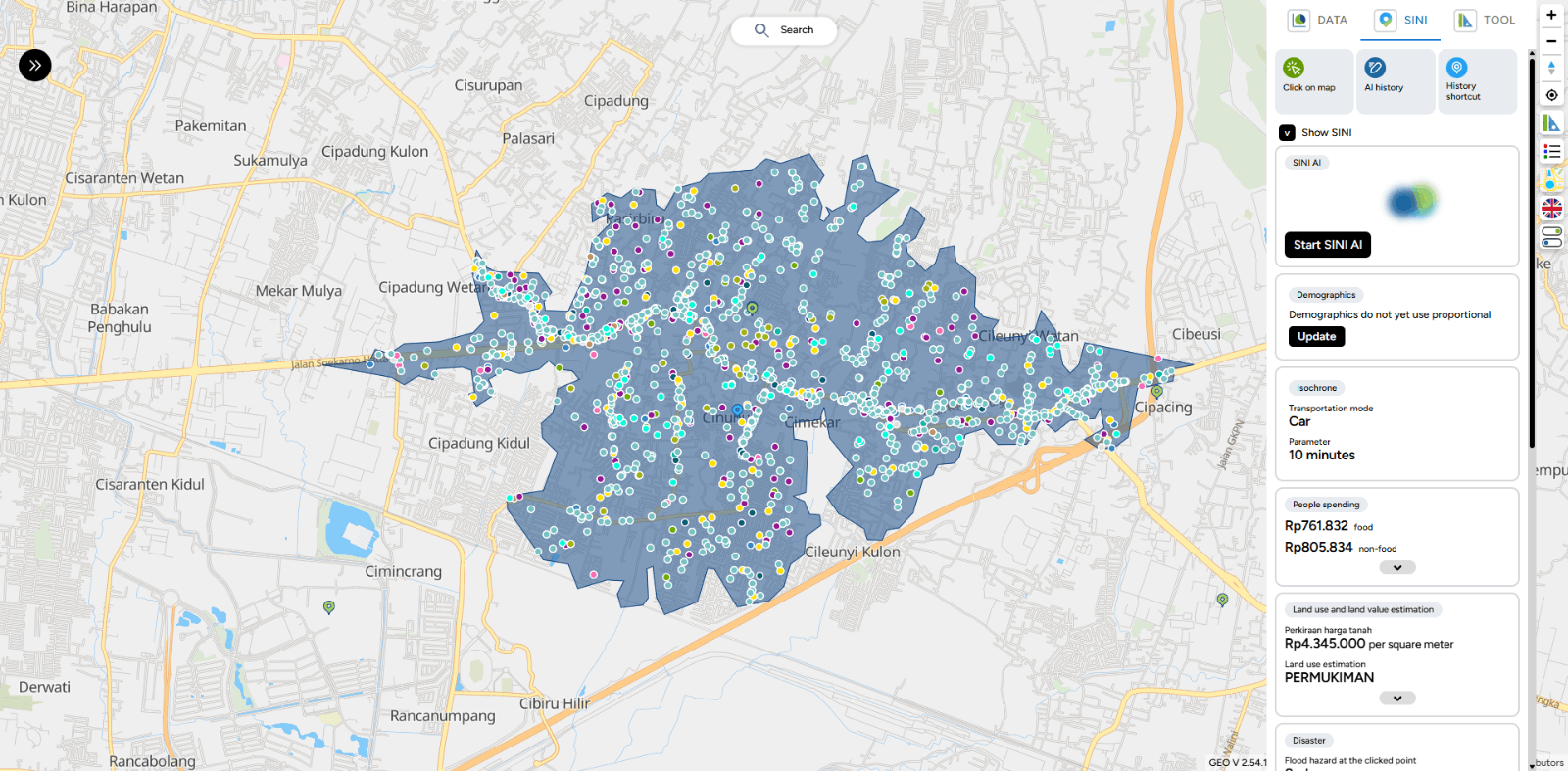
  • Location points are now displayed larger and with higher contrast, making it easier for users to view point distributions on the map.
  • Point colors have been updated to stand out more clearly above the map layers, assisting with quick data identification.
V 2.54.13
  • Area boundary lines have been enhanced with bolder colors, allowing areas and analysis zones to be distinguished more easily on the map display.
V 2.54.13
  • In this latest update, SINI provides more detailed and comprehensive demographic data to support users' analytical needs.
V 2.54.13

9. Proportional Demographic Data Update

SINI is now equipped with a proportional demographic data update feature, which allows users to:

  • Update demographic data when the existing data is outdated.
  • Utilize more accurate and relevant demographic data for location analysis and decision-making.
V 2.54.13

Bug Fixing

1. Import Data Editor

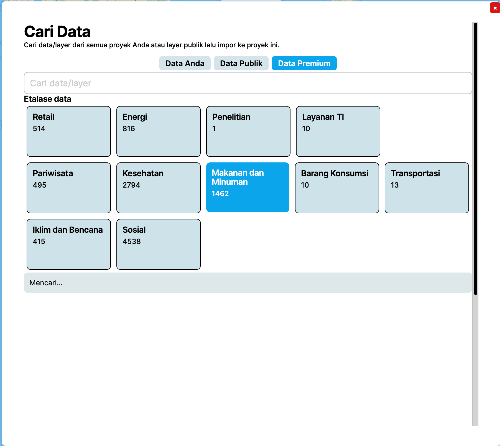
  • Fixed: Data filter in Import Data Premium did not display correctly when users clicked on a catalog and searched within the data column.
  • Fixed: Import Data search feature not displaying results properly.
  • Fixed: Import Data Map Editor issue where searching data immediately showed “no results” even while data was still loading.
  • Fixed: Background on Data Premium catalog not appearing when clicked.
  • Fixed: User imported data in Import Data Map Editor not appearing even though results were displayed.

2. Excel Data Export

  • Fixed: The order of data in downloaded Excel files which previously showed data sorted from bottom to top, now displays from the beginning.

3. Business Intelligence

  • Fixed: Data type validation from text to number/currency on BI Card in Group Text & Calculate Other Columns mode.

4. Map

  • Fixed: Outline on LineString not appearing.
  • Fixed: Bug in Digitization Pointing / SINI / All Toolbox where the (+) icon was not displayed.
  • Fixed: Geo link in layer popup resulting in “undefined”.
  • Fixed: Popup on LineString not appearing.
  • Fixed: Save Feature button on Edit and New Column in Table Editor was unclickable.

7. Table Editor Columns

  • Changed Calculate Dimension property type to number.
  • Removed M / KM / Mile labels from calculate dimension and now automatically display them in the title.
  • Standardized decimal and comma notation in calculate dimension to match number data type formatting.
  • Fixed: When a table cell was double-clicked and switched to another cell, it saved “0”; however, deleting the “0” did not save the empty value.

8. Insight

  • Fixed: Top Result Insight rating numbers display.

9. SINI

  • Fixed: POI errors in SINI.

10. WhatsApp Admin

  • Fixed: WhatsApp chat requests to Admin not appearing.

11. MAPID Form

  • Added: Notification when no response is received from generate results on: Sub-district (Kelurahan), District (Kecamatan), City, Province, Nearest Address, Nearest Building.
  • Fixed: Template input that remained visible in the form column even after being deleted.
  • Fixed: Date and Time styling box overlapping on iOS mobile browsers.

12. Publication

  • Fixed: Draft article publication not being saved.

13. Dashboard

  • Fixed: List type status on the dashboard is now properly differentiated.
  • Fixed: Collaborators with Viewer status were able to open the Editor when using card mode on the dashboard.

Attachment: Detailed Documentation

Geo Mapid Dashboard Overview

Quickstart Guide

Features On Map Editor

Features On Map Viewer

Form Mapid

SINI AI

INSIGHT

V 2.53.40

Bug Fixing:

1. Import Data Editor

  • Search Import Data Premium

2. Map

  • Filter by Date on the right sidebar of Map.

V 2.53.39

Improvement in GEO:

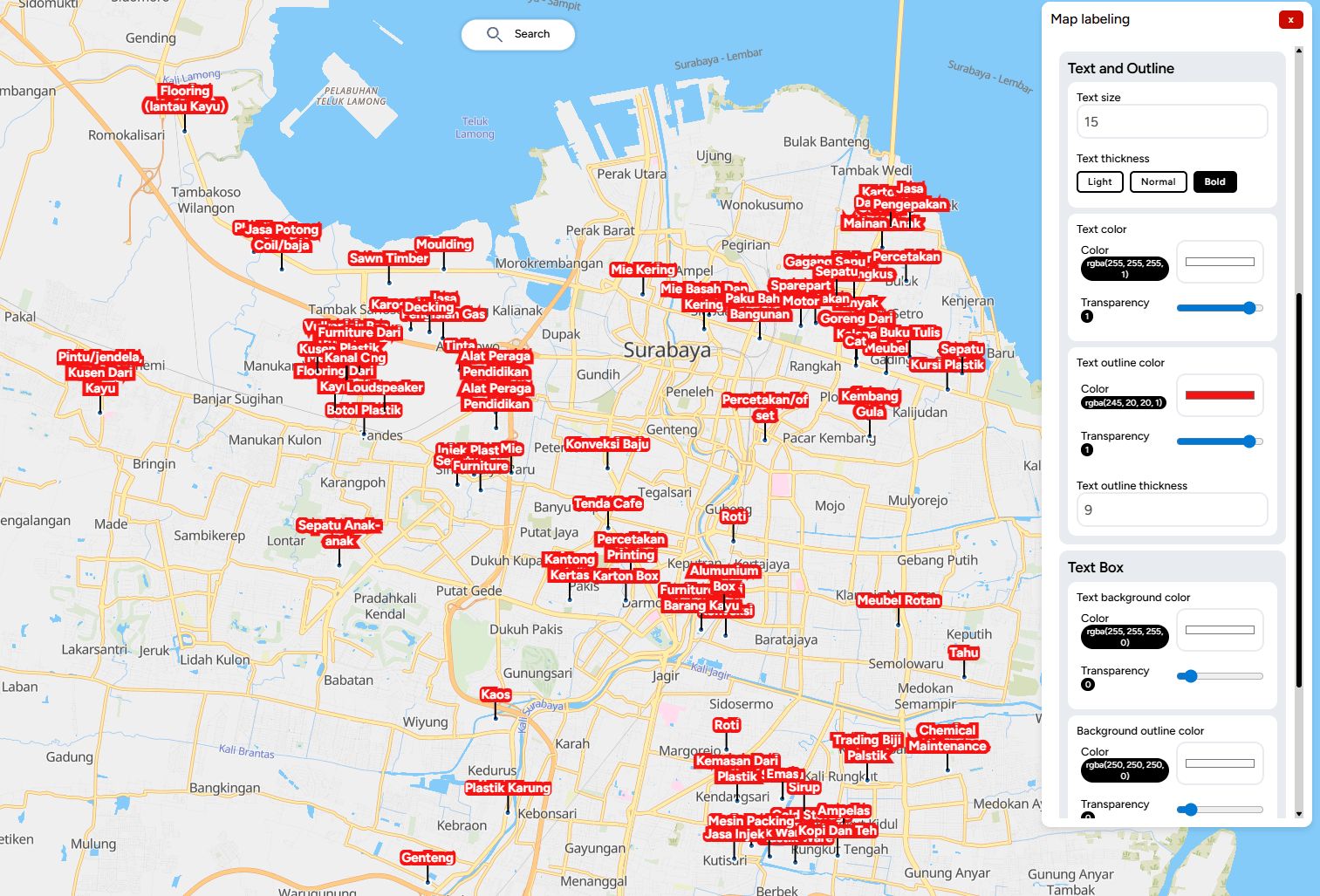
Map labeling is the process of displaying textual information on geographic features within a map. These labels usually contain place names, object descriptions, or specific attribute values that make it easier for users to understand spatial data.

Effective labeling enhances map readability and provides clearer context for the displayed data.

Below is a visualization of the successfully created labels.

V 2.53.39

What's Missing:

  • Import of publication data in Map Editor.

V 2.53.12

Improvement in GEO:

1. Separated the registration flow and display between personal users and company users to better suit each user type.

V 2.53.12

2. Replaced the industry field with a redeem code field in the registration flow for personal users.

V 2.53.12

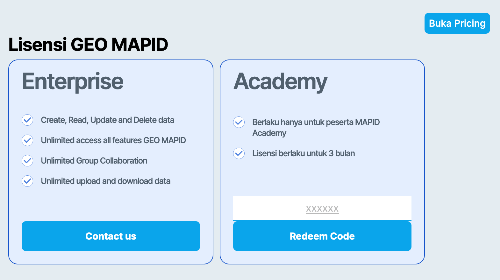
3. Added a dedicated card in the profile section to enter Academy license codes.

V 2.53.12

4. Changed the loading text from “No data available” to “Searching” to provide clearer information to users.

V 2.53.12

Bug Fixes:

  1. Improved the user interface (UI) of the Join Table feature to make it cleaner and easier to use.
  1. Monetization feature now renders immediately after the price is set.
  1. Fixed an issue with the color filter feature on the right sidebar, which was not working properly when used on numeric table data types.

V 2.53.10

Improvement in GEO:

1. New feature added: Pin Project

  • This feature allows users to pin selected projects to the main dashboard section for easier access.

V 2.53.10

  • Note: A maximum of five projects can be pinned.

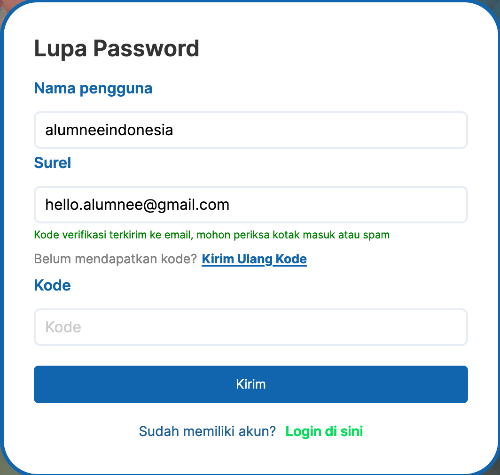
2. Updated the “Send” button text on the Forgot Password page for resending OTP codes, which has now been changed to “Resend Password”.

3. Changed the “Send” button text on the Forgot Password page for sending OTP codes, which has now been changed to “Submit”.

V 2.53.10

4. Added a feature to delete data directly from the data popup, making data management easier.

V 2.53.10

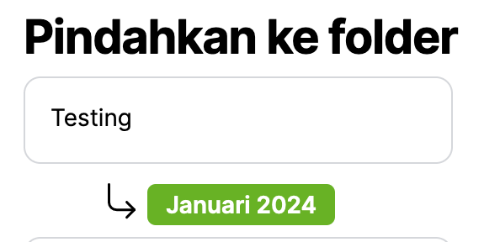
5. Added clearer color indicators when users select a sub-folder to store their project, reducing the risk of saving to the wrong folder.

V 2.53.10

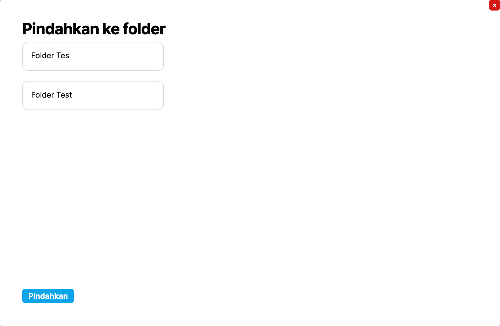
6. Added a feature to move folders into other folders, supporting more flexible folder structure management.

V 2.53.10

FORM v2.52.47

Improvement in FORM:

  • Added offline FORM feature, allowing users to access and fill out forms without an internet connection.

Bug Fixes

  • Fixed a bug in FORM where, when users submitted a form and received an error warning, the data was still saved to the MAPID table even though the submission status showed as failed.

V.2.56.00

Toolbox

  • Fixed an issue where elevation input could not accept certain values (e.g., 10).
  • Adjusted radius units in Toolbox Selection for better consistency.
  • Revamped UI for Radius, Area, Isochrone, Elevation, and Grid Count Point.
  • Added vehicle mode icons for Isochrone and Routing.
  • Updated the flow for generating elevation.
  • Added descriptions for each line in the elevation graph.
  • Changed the “gain” column to “difference” in elevation.
  • Adjusted default elevation view when switching from table to chart.
  • Adjusted the number of elevation points based on the number of samples.
  • Set maximum sample limit to 100.
  • Adjusted elevation graph axes (X: distance, Y: elevation in meters).
  • Added dropdown options (delete and fly to) on elevation points.
  • Added save point and save polygon features across toolboxes.
  • Added delete destination action in Routing.
  • Fixed text layout and overflow issues in Routing.
  • Added multi-language support for toolbox.
  • Prevented re-generation of already generated layers.
  • Fixed issue where data still appeared after navigating back.
  • Added cancel feature and improved loading during data generation.
  • Added retry mechanism when data fetching fails.
  • Fixed elevation chart not updating when sample size changes.
  • Fixed residual data not cleared after deletion.
  • Adjusted information display for deleted data.
  • Fixed mismatch between filtered POI count and stored data.
  • Fixed issue where deleted polygons still affected new results.
  • Changed Isochrone label from distance to time.
  • Fixed issue where saved isochrone resulted in empty layers.
  • Updated Isochrone API to Mapbox.
  • Fixed decimal input issue in Isochrone settings.
  • Added input limit for routing.
  • Fixed bug when deleting elevation via chart.
  • Fixed elevation points still appearing during routing.
  • Fixed UI layout issues on smaller screens.
  • Improved saving workflow and area generation from digitized layers.
  • Fixed issue where generated area was not displayed.
  • Fixed routing feature that could not be clicked.

Map

  • Fixed errors when drawing polygons.
  • Improved snapping behavior for better consistency.
  • Fixed issues when deleting polygons and points.
  • Fixed errors when opening layers.
  • Fixed digitization becoming unclickable after errors.
  • Added geometry type icons (point, line, polygon) in geocode results.
  • Improved fly-to-layer behavior to be more dynamic.
  • Ensured geometry data remains accessible when basemap is unavailable.
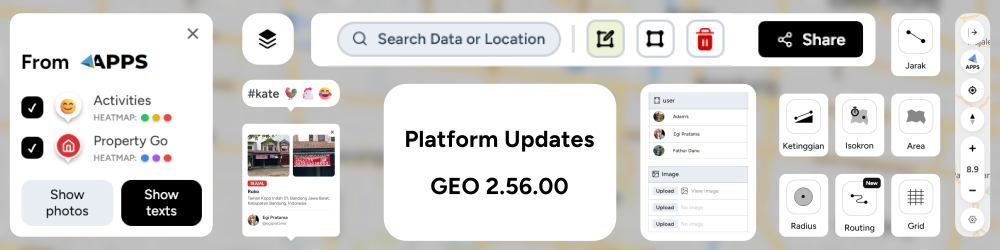
  • Improved display of MAPID Apps activity data.
  • Revamped map experience, including navbar, digitization, scale bar, and coordinate display.
  • Improved digitization flow for better usability.
  • Map control now follows table position and supports auto fullscreen.

Table

  • Fixed comma issue in empty cells when exporting to Excel.
  • Fixed issues with mathematical operator data type.
  • Improved consistency between editor and viewer table styles.
  • Adjusted table width and horizontal scrolling behavior.
  • Fixed filter issue on auto-generated username when fullname is empty.
  • Fixed “other option” appearing in checklist selection when not enabled.
  • Fixed input error in WhatsApp number data type.
  • Fixed functionality of edited by, last edited, and ID data types.
  • Added validation to prevent duplicate values in checklist input.
  • Fixed missing checklist icons.
  • Improved popup editor functionality.
  • Added PDF preview using iframe instead of opening new tab.
  • Added “allow other option” feature in selection data type.
  • Fixed delete feature via popup editor.
  • Added fullscreen and zoom support for image preview.
  • Fixed polygon area calculation from imported layers returning NaN.
  • Added reorder feature for template fields in column editor.
  • Fixed deletion of uploaded documents and images.
  • Adjusted popup positioning during uploads.
  • Added textarea input option for selection fields to support easier copy-paste.

Minor UI Improvements

  • Fixed spacing and layout issues across multiple pages.
  • Improved consistency in labels and wording.
  • Enhanced UI for profile, dashboard, and editor pages.
  • Improved modal and popup appearance.
  • Adjusted validation messaging on forms and authentication pages.
  • Fixed overly dense UI components.
  • Improved overall UI consistency and branding.

SINI

  • Fixed hover border display issues.
  • Added safer RDTR display with better control options.

Form

  • Added support for clickable links in MAPID Form.
  • Fixed “update location” button in fullscreen mode.
  • Added editable Latitude and Longitude fields.
  • Added auto-zoom when updating location.
  • Improved map interaction to prevent unintended point changes when dragging.
  • Added location locking feature in form.
  • Fixed map zooming out unexpectedly when dragged.

Product Intelligence

  • Fixed bug where replay guide jumped directly to the final step.
  • Added feedback input feature.
  • Added feedback history feature.
  • Added validation for feedback submission.
  • Stored GEO version in feedback data.
  • Added Tour Guide feature.
  • Improved differentiation of data status (import, upload, digitization).
  • Added new map guide interface.

Publikasi

  • Fixed issue where images in publications could not be used.

Upload

  • Fixed issue when uploading Excel files in GEO data upload.

Apps Integration

  • Improved display and interaction of MAPID Apps data.
  • Fixed issue where opening an activity point triggered other data unintentionally.
  • Added community data retrieval for property surveys.
  • Improved layout and flexibility of MAPID Apps data display.
  • Added API to retrieve activity data based on area.
  • Improved legend and UI for community data.
  • Added text display for MAPID Apps activity.
  • Improved click interaction on images.
  • Added MAPID Apps access button in map control.
  • Integrated MAPID Apps activity data into GEO.

Payments

  • Fixed total payment calculation for team license purchases.
Terms and Conditions
Introductions
  • MAPID is a platform that provides Geographic Information System (GIS) services for managing, visualizing, and analyzing geospatial data.
  • This platform is owned and operated by PT Multi Areal Planing Indonesia, located at